
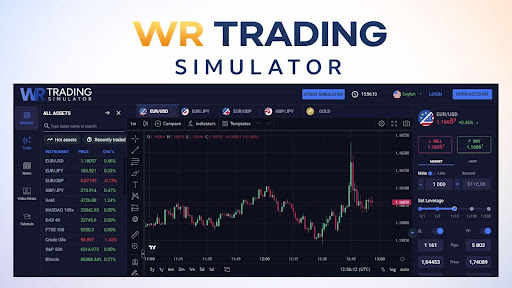
Most traders lose money in the early stages of their careers, and research consistently points to a lack of structured practice as the primary cause. WR Trading launched its browser-based simulator specifically to address this gap.
The tool gives traders at every experience level access to real-time data across multiple asset classes, with full control over leverage and trade sizing, without requiring registration. Stock market operators and retail traders alike can load the simulator instantly and begin executing simulated trades under live market conditions.
What the WR Trading Simulator Offers
The simulator is built to mirror professional environments without any of the access barriers. Moreover, it runs entirely in a browser, requires no download, and imposes no subscription fee or trial period.
Real-Time Data and Accurate Market Conditions
Unlike many demo platforms that run on delayed or synthetic data, the WR Trading Simulator uses live price feeds across all supported markets. Variable spreads start at 0.2 pips, which reflects the actual cost structure traders face in live environments.
The tool also supports derivatives and index-based instruments. Traders who want to explore concepts such as CE and PE in stock market contracts can test directional strategies across indices without committing capital. This makes the tool valuable for traders transitioning between different instrument types.
Asset Classes Available for Practice
The platform covers a broad range of markets within a single interface. Traders can switch between instruments without needing separate broker accounts or platform logins.
The asset classes available in the simulator cover the markets most actively traded by retail participants:
- Forex: All major and minor currency pairs, including EUR/USD and GBP/JPY, with variable spreads from 0.2 pips.
- Stocks: US-listed equities with real-time price feeds reflecting live exchange conditions.
- Indices: S&P 500, DAX, and other major global indices available as CFD instruments.
- Commodities and crypto: Gold, oil, Bitcoin, and Ethereum for traders seeking exposure to additional asset types.
How the Simulator Differs From Standard Broker Demo Accounts
Broker demo accounts are common, but they carry a set of structural limitations that make them less suitable for independent practice. Most are locked to a single platform, a single broker’s pricing model, and a single set of account conditions.
No Broker Affiliation or Sales Pressure
Standard demo accounts are offered as part of a broker onboarding funnel. Traders who open them typically receive follow-up emails encouraging them to fund a live account. The WR Trading Simulator operates independently of any broker, meaning there is no commercial pressure to transition to live trading before a trader is ready.
Full Control Over Trade Parameters
The simulator gives traders direct control over leverage, margin, and position sizing on every trade. This level of control is absent from many broker demo environments, which often set fixed leverage and default lot sizes.
The table below compares the WR Trading Simulator with a standard broker demo account across key variables:
| Feature | WR Trading Simulator | Standard Broker Demo |
| Registration Required | No (guest mode available) | Yes, typically mandatory |
| Broker Affiliation | None | Tied to one broker |
| Live Price Data | Yes, real-time feeds | Sometimes delayed |
| Leverage Control | Fully adjustable | Often fixed by broker |
| Multi-Asset Access | Forex, stocks, indices, crypto | Usually limited to broker products |
Using the Simulator as a Structured Training Tool
Practice in isolation produces limited results unless it is tied to a clear methodology. The WR Trading Simulator is designed to complement structured learning programs, particularly the WR Trading Mentorship, where students are required to complete a demo phase before transitioning to live capital.
The Demo Phase in Mentorship Training
WR Trading’s three-phase mentorship program includes a mandatory demo trading phase that spans two to three months. During this period, students apply the program’s wick-based M1 strategy using the simulator before any live capital is involved. Consistent positive performance in the demo environment is the measurable requirement for advancement.
Developing Execution Skills Under Real Conditions
Execution speed, stop placement, and entry precision are mechanical skills that deteriorate without regular repetition. The simulator provides the environment to build these skills under live price conditions, including spread variation during volatile sessions and slippage modeling that reflects real-world execution.
Traders use the tool to develop three specific competencies before transitioning to a funded account:
- Execution timing: Practicing entries and exits on M1 charts during active market hours to build speed and precision.
- Stop-loss discipline: Placing and holding stops at predefined levels without manual adjustment during a trade.
- Position sizing: Calculating and entering correct lot sizes relative to account balance and risk percentage per trade.
Who Benefits Most From Simulator-Based Practice
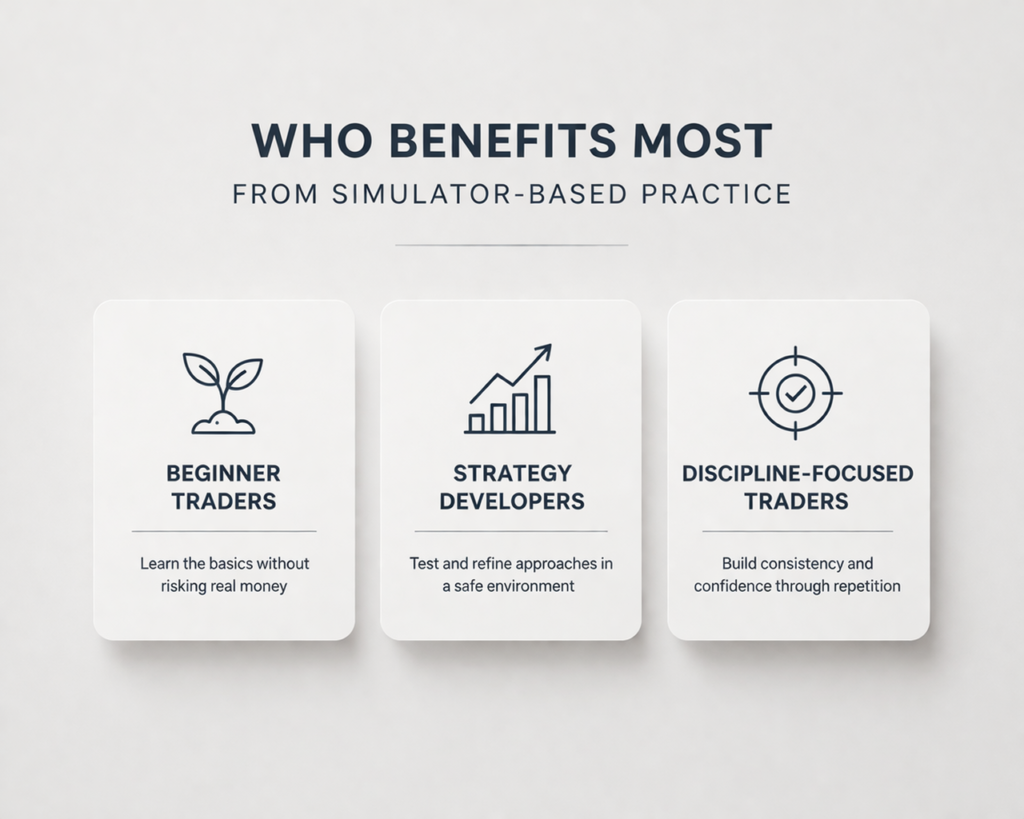
The simulator is positioned as a universal starting point regardless of experience level. The table below summarizes which trader groups benefit most from simulator-based practice and how each group can use it effectively:
| Trader Type | How the Simulator Helps |
| New traders | Builds core skills such as order execution, leverage awareness, spread analysis, and session timing without financial risk. |
| Experienced traders | Supports testing of new strategies, asset classes, and risk settings in a live data environment before using real capital. |
| WR Trading Mentorship students | Provides measurable performance data that coaches can review before students move to live trading. |
New Traders Building a Foundation
Beginners benefit from the platform across four foundational areas that typically cost money to learn on a live account:
- Order execution: Placing market, limit, and stop orders without the risk of accidental live fills or slippage losses.
- Leverage mechanics: Testing different leverage settings to observe their effect on margin requirements and drawdown exposure.
- Spread awareness: Experiencing spread costs in real time to calibrate entry and exit timing relative to actual transaction costs.
- Market hours: Identifying which trading sessions produce the setups required by a specific strategy.
Experienced Traders Testing New Strategies
Experienced traders with an existing edge can use the simulator to test strategy variations without portfolio risk. This is particularly relevant when transitioning between asset classes or adjusting parameters like stop distance and risk-reward targets. Testing in a live-data environment produces more reliable results than backtesting on historical data alone.
Traders Linked to the WR Trading Mentorship
Students enrolled in the WR Trading Mentorship program use the simulator as an integrated component of their curriculum. They track three specific output metrics within the tool that coaches use to assess readiness for live trading:
- Monthly return consistency: Positive net performance across at least two consecutive months in the demo account.
- Maximum drawdown: Keeping peak-to-trough loss within the program’s defined risk tolerance thresholds.
- Trade log completion: Documenting every simulated trade with entry rationale, emotional state, and post-trade review notes.
The WR Trading Simulator as a Brand Commitment to Accessible Education
The WR Trading Simulator belongs to the larger system that comprises, but is not limited to, reviews of brokers, trading calculators, educational materials, and the flagship mentorship program. Every resource proves the platform as a viable, trader-oriented brand.The zero-cost, no-registration model of the simulator reduces the entry barrier for traders looking to test the WR Trading model before investing in the mentorship. It is a showcase of the platform methodology, as potential students are introduced directly to what they will work with during the program.